


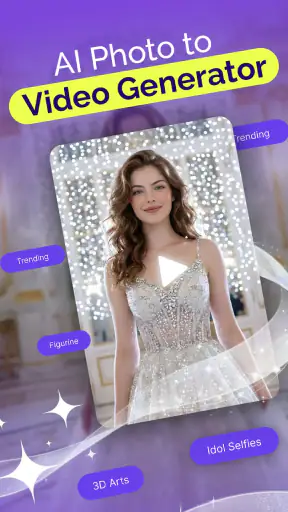
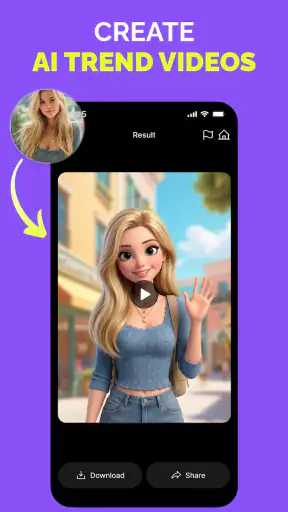

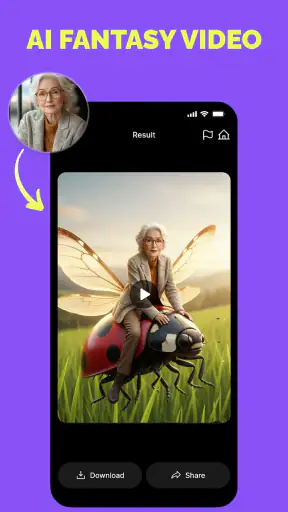
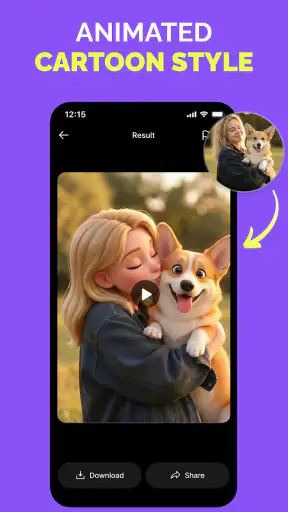
I tested Pivo AI as a quick way to turn ordinary photos into short, styled videos, and I came away seeing it as a focused tool rather than a complete mobile editor. It is made for the moment when a folder of pictures feels flat but you still want something shareable without building a timeline by hand. The app sits in the video players and editors category, comes from DooMoon, and is free to install. Its main appeal is the use of ready-made visual styles that handle much of the creative direction for you.
That approach makes the app particularly interesting on a shared household device. One person can collect the photos, another can choose a style, and someone else can decide whether the result is good enough to send. I found that this kind of collaboration works best when everyone agrees on the purpose before opening the editor. Pivo AI is useful for a birthday montage, a weekend recap, or a small family announcement, but it is less suitable when several people need precise control over every cut, caption, sound, or transition.
How Pivo AI fits into a shared household workflow
A realistic use case is a family returning from a day out with a large camera roll and no patience for manual editing. A parent may want a short video for relatives, while a child wants something more energetic for friends. With Pivo AI, the practical starting point is to gather only the strongest photos instead of feeding in every image. The quality of the final sequence depends heavily on that selection, because a ready-made style can arrange images attractively but cannot rescue blurry, repetitive, or poorly framed material.
I would begin by creating a small working set: a clear opening image, several photos that show the event, and a final picture that gives the video a sense of closure. This is one of the less obvious lessons with a style-driven editor. More source material does not automatically mean a richer result. A shorter, coherent group usually gives the visual treatment more room to breathe and makes the finished video easier to watch on a phone.
The app’s ready-made approach also helps when different household members have different levels of editing experience. Someone who has never used a timeline can still participate by choosing the pictures and comparing styles. Someone more comfortable with visual work can judge whether the selected treatment matches the mood. That division of labor is more useful than handing the whole task to one person, especially when the video is meant to represent a shared event.
Still, I would not treat the app as a neutral family scrapbook. Style selection can strongly influence how memories feel. A playful treatment may suit a casual outing but feel wrong for a quiet family moment. Before exporting or sharing anything, I recommend watching the result with the sound on and off. A video that feels acceptable with music can look too fast or overly dramatic when viewed silently, which is often how people encounter clips in messaging feeds.
What the first session feels like
Pivo AI is built around reducing the number of creative decisions. Instead of asking me to place every image on a track, it points the experience toward a finished visual result. That is convenient, but it also changes what “editing” means. I am not shaping every beat; I am preparing suitable material and selecting the direction in which the app should present it.
For a first project, I would keep the subject simple. A sequence about one outing or one celebration is easier to judge than a mixture of unrelated photos from several weeks. If you are working on a shared phone, this also prevents confusion when another person opens the project and cannot tell which images belong together. A clear folder or album name is a small organizational step, but it makes collaborative use much smoother.
The app is free, while in-app purchases range from $7.49 to $29.99 per item. That makes it sensible to explore the basic workflow before spending anything. I would pay attention to which styles actually fit the videos your household wants to make, rather than assuming that more options will automatically produce better results. The useful question is not whether a premium choice exists, but whether it solves a specific limitation in your current project.
Keeping expectations realistic on a shared device
One point deserves attention before a household adopts any creative app: the device may be shared, but the work is not necessarily shared in the same way. A person selecting private photos may expect a different level of discretion from someone making a public celebration clip. Pivo AI should therefore be treated as a tool used with deliberate photo selection, not as a place to casually expose the entire camera roll during a group editing session.
I found it more comfortable to prepare the source images first and then open the editor. This avoids the awkward situation where another family member is browsing through unrelated personal pictures while trying to help. It also makes the creative process faster. The strongest workflow is selective: decide which images belong in the project, then use the app to turn that prepared set into a video.
For children or younger users, an adult can take responsibility for choosing the source material and reviewing the final result. The app has an Everyone content rating, which makes its general audience positioning clear, but that should not be confused with a promise that every family-created video is appropriate for every audience. The images, captions, and sharing decisions still come from the people using the device.
Setup boundaries that matter more than the style menu
When I review a photo-to-video app, I look beyond the attractive output and ask how much control the user keeps before and after creation. Pivo AI’s strength is speed, so the boundary between preparation and editing matters. If you prepare carefully, the app can feel refreshingly direct. If you expect it to replace a full editor, the simplified workflow may feel restrictive.
The first boundary is source selection. Do not begin with a complete camera roll if the project has a clear subject. Choose images that share a location, occasion, or visual mood. This gives the style a consistent foundation. A ready-made treatment can add movement and atmosphere, but it cannot decide whether two photos belong to the same story. That editorial decision remains yours.
The second boundary is the difference between visual polish and storytelling. Pivo AI can make a set of photos feel like a video, but a polished sequence is not automatically a meaningful one. For a family event, I would arrange the source images around a simple progression: preparation, main moment, and aftermath. Even if the app controls the final motion, that underlying order gives the result a beginning and an ending.
The third boundary is revision. Style-based tools encourage experimentation, but changing the style can also change the emotional reading of the same pictures. I recommend saving a mental note of what you liked in the first version before trying another direction. Was it the pacing, the color treatment, the transitions, or simply the order of the photos? Without that distinction, it is easy to keep switching styles without learning why one result works better.
There is also a practical purchase boundary. Since the app includes paid items, I would not let a child or casual user make choices without the device owner’s agreement. The safest household habit is to decide who approves purchases and which projects are worth paying for. That is not a criticism unique to Pivo AI; it is simply important when a free installation includes optional paid content.
Where it differs from a traditional mobile editor
Compared with a conventional timeline editor, Pivo AI asks for less technical effort and gives up some precision in return. A manual editor is better when I need to trim each clip, position text exactly, adjust audio timing, or build a long-form sequence with deliberate pacing. It is also the better choice for a person who enjoys editing as a craft rather than treating it as a quick finishing step.
Pivo AI makes more sense when the raw material is mostly still photos and the desired result is short, presentable, and visually guided. It can reduce the friction between “I have pictures” and “I have something I can show.” That difference is meaningful for households where the main obstacle is not a lack of ideas but a lack of time.
There is a trade-off in consistency. A manual editor lets me keep a family’s preferred rhythm from one project to the next. A style-led app may make each project feel more distinctive, but it can also make the visual identity less predictable. If you are creating recurring school, club, or business content, a conventional editor may be easier to standardize. If you are making occasional personal videos, the guided approach is more forgiving.
Another trade-off concerns learning. A timeline editor teaches transferable skills such as trimming, layering, and audio placement. Pivo AI teaches a different skill: selecting good source material and judging the relationship between images and a visual treatment. Neither approach is universally better. The right choice depends on whether you want to learn editing mechanics or simply finish a photo video with minimal setup.
Coordination when several people contribute
Shared use becomes easier when responsibilities are separated. One person can act as the curator, removing duplicates and weak images. Another can act as the stylist, trying the available looks. A third person can be the final viewer, checking whether the result makes sense to someone who was not present at the event. This arrangement prevents the common problem where everyone edits at once but nobody decides what the video is trying to say.
I would also agree on a final audience before choosing a style. A private family recap can tolerate inside jokes and unusual images. A clip intended for a wider group should use photos that everyone is comfortable seeing. The same project may need different versions for different audiences, and a quick style-based tool is helpful only if the source sets remain organized.
For coordination, filenames and albums matter more than most people expect. A set labeled by event and date is easier to review than a stream of unnamed images. If the device belongs to several people, keeping project material together reduces accidental mixing with personal photos. This is a simple workflow improvement, but it has a direct effect on both speed and privacy.
I would review the finished video before sharing it, even if the app produces an attractive result immediately. Look for faces that appear for too little time, repeated images, awkward visual changes, and moments that could embarrass someone. A family member who did not participate in the editing may notice a problem that the creator overlooks because they remember the event emotionally.
Age, trust, and responsible use
The Everyone rating makes Pivo AI approachable for a broad audience, and the app can be a pleasant introduction to visual storytelling for younger users. I like the idea of a child choosing pictures from a school trip while an adult handles the final review. That gives the child creative ownership without assuming that every selected image should be shared.
Age suitability still depends on context. A young user may understand how to choose a style but not fully consider where a finished video will travel once it leaves the device. Adults should explain the difference between making a video and publishing it. The app can help create the first step, but trust and judgment are needed for the second.
I would also establish a clear household rule about other people’s images. A photo may be technically available on a shared phone and still not be appropriate for a project. Ask before using pictures of friends, classmates, or relatives, especially when the final video may be shown outside the home. This is a good habit for any photo editor, and Pivo AI’s speed makes the reminder more important because creation can happen quickly.
For personal memories, I would keep the original photos separate from the edited result. The source images are valuable independently of the video, while the generated sequence is one interpretation of them. Maintaining that distinction makes it easier to create a second version later with a different mood, audience, or selection without losing the original material.
Trust also includes purchase decisions. The app costs nothing to install, but optional items are priced from $7.49 to $29.99 each. In a shared household, the person who owns the device should remain the person who approves spending. That arrangement avoids misunderstandings and lets everyone explore the creative side without treating paid choices as automatic.
Who will enjoy it, and who should skip it
I would recommend Pivo AI to someone who has plenty of photos, wants a finished video quickly, and prefers guided styles over a complicated editing interface. It is especially suitable for occasional family recaps, informal celebrations, travel memories, and small social posts where a polished impression matters more than frame-by-frame control.
It is also a good fit for households with mixed technical ability. A confident editor can help select images, while a beginner can participate in choosing the visual direction. That shared process is one of the app’s strongest practical qualities, because the tool does not require every contributor to understand traditional editing language.
I would skip it if your main goal is detailed production work. People who need exact timing, complex audio work, extensive text layout, or a repeatable brand template will likely be happier with a full-featured editor. The same applies if you prefer to control every transition and dislike the idea of a preset style influencing the result.
I would also hesitate to use it as the only tool for important archival projects. A quick generated video is enjoyable, but it should not replace keeping the original photos organized and backed up through whatever storage routine your household already trusts. The app is best viewed as a presentation layer for selected memories, not as the sole home for them.
Everyday performance and version context
Pivo AI is currently at version 0.4.8 and works on Android 7.0 or later. That broad operating-system reach is useful for households that keep an older spare phone available for shared tasks. Before planning a group project, I would still make sure the device has enough free space for the selected media and the resulting video. Photo projects are much less frustrating when storage is checked before the creative session begins.
The app has an average rating of 4.1 from around 9,200 ratings, and it has passed the five-million-install mark. Those figures suggest that the basic idea has found a substantial audience, but they should not replace personal testing. A style-driven editor can suit one person perfectly and feel too limited to another, especially when expectations come from advanced desktop software.
Its release date is January 16, 2026, so I see it as a relatively new product rather than a mature editing suite with years of established habits around it. That makes the current version worth evaluating on its actual workflow instead of assuming it has every refinement found in older alternatives. For me, the important question is whether its fast, guided approach matches the projects I want to finish now.
In day-to-day use, the best results come from treating each project as a small visual story. I would not open the app with the vague goal of “making something cool.” I would decide whether the video is a thank-you, a recap, an invitation, or simply a memory for the household. That purpose makes style selection more disciplined and reduces the temptation to judge the app only by flashy movement.
Small techniques that improve the final result
My first practical tip is to choose images with varied distance and composition. A sequence made entirely of similar close-ups can feel visually cramped, while a mix of wide scenes, people, and details gives the style more material to work with. This is not a hidden button or advanced setting; it is a source-selection technique that has a noticeable effect on any automated photo-to-video workflow.
My second tip is to avoid using every image from a burst of nearly identical shots. Pick the one with the clearest expression or strongest composition. Repetition is easy to miss while browsing a camera roll, but it becomes obvious when several similar frames appear in a short sequence.
My third tip is to make two audience checks: one for the people pictured and one for the people watching. The first catches privacy or embarrassment issues. The second catches confusing context, abrupt mood changes, or an ending that feels unfinished. This two-pass review is particularly valuable when a shared household creates the video together.
My fourth tip is to compare styles using the same source set. Changing both the images and the style at once makes it impossible to know what improved the result. Keep the photos stable, test the visual direction, and then decide whether a different selection is needed. That simple experiment makes the app feel less random and helps users understand what they actually prefer.
My household verdict
After using Pivo AI, I see it as a friendly shortcut for turning selected photos into a more engaging video, especially when several people are contributing from one device. Its ready-made styles remove much of the technical work, and that makes it approachable for beginners, busy families, and anyone who wants a presentable result without learning a full timeline editor.
The limitations are just as clear. The guided workflow does not replace detailed editing control, and the quality of the result still depends on thoughtful photo selection. Shared use also requires boundaries around private images, audience, age, and optional spending. The Everyone rating supports broad accessibility, but responsible sharing remains a household decision.
For me, the deciding question is simple: do you want to direct every second, or do you want help turning a small set of photos into a finished visual memory? If you want precision, choose a traditional editor. If you want a faster, style-led result and are willing to curate the source material, Pivo AI is worth trying. I would start with a small family project, review the output together, and only then decide whether its paid options add enough value for the way your household creates videos.


